 Powered by Mistral AI · European data & AI
From chaos to clarity in minutes
Upload your case documents. Thea extracts the facts and gives you multiple ways to see them—timeline, party camps, relationship maps.
Your case, viewed from every angle
Thea analyzes your documents once and gives you multiple ways to understand them—like different views of the same database. Switch between perspectives depending on what you need.
Timeline View
See what happened chronologically
Extract events with dates and sources automatically. Add your own events and annotations. Mark breach periods and turning points. Add exhibit labels connecting to filed evidence. Export as JPEG for written submissions.
Every event linked to its source document.
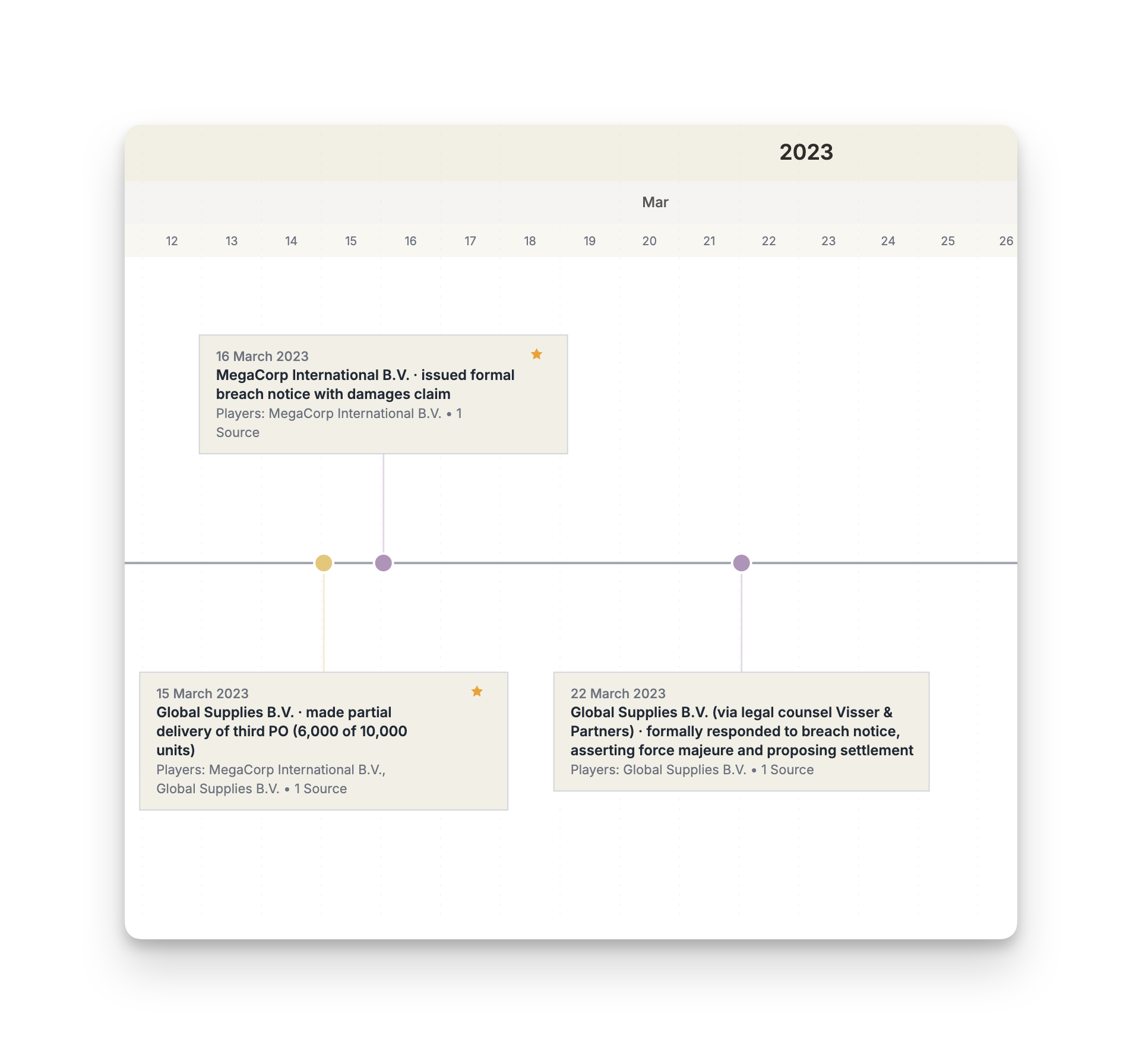
Party Camps
Understand who's on which side
Automatically organize parties by side: plaintiff camp, defendant camp, regulators, third parties. See all entities and personnel per camp. Navigate complex multi-party cases with clarity.
Multi-party cases made navigable.
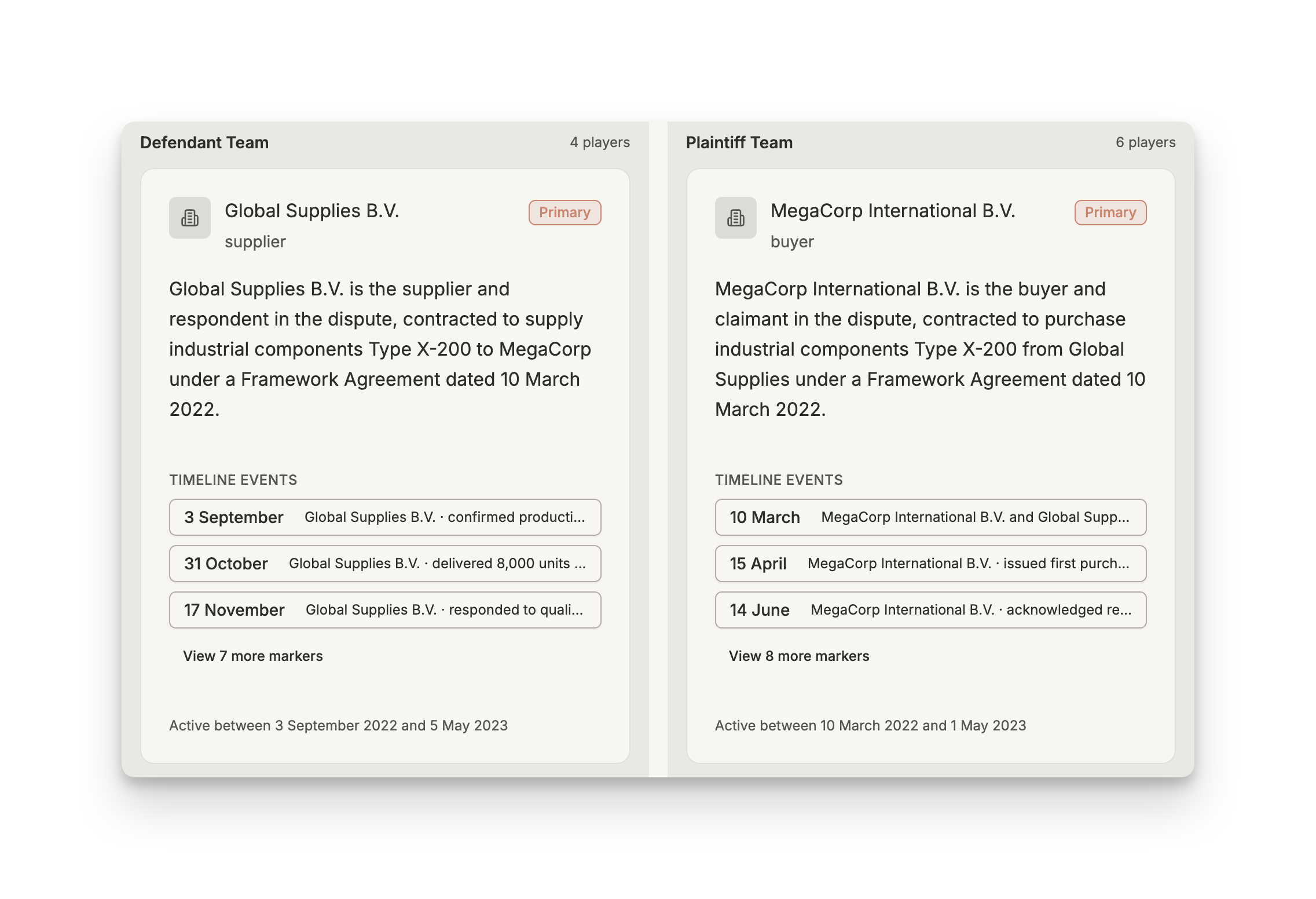
Relationship Map
Visualize how key players are connected
See the network of relationships between key players. Important entities appear larger and central. Click any party to see all their connections, their role, and their timeline activity. Perfect for witness preparation.
Click any party to see their full story.
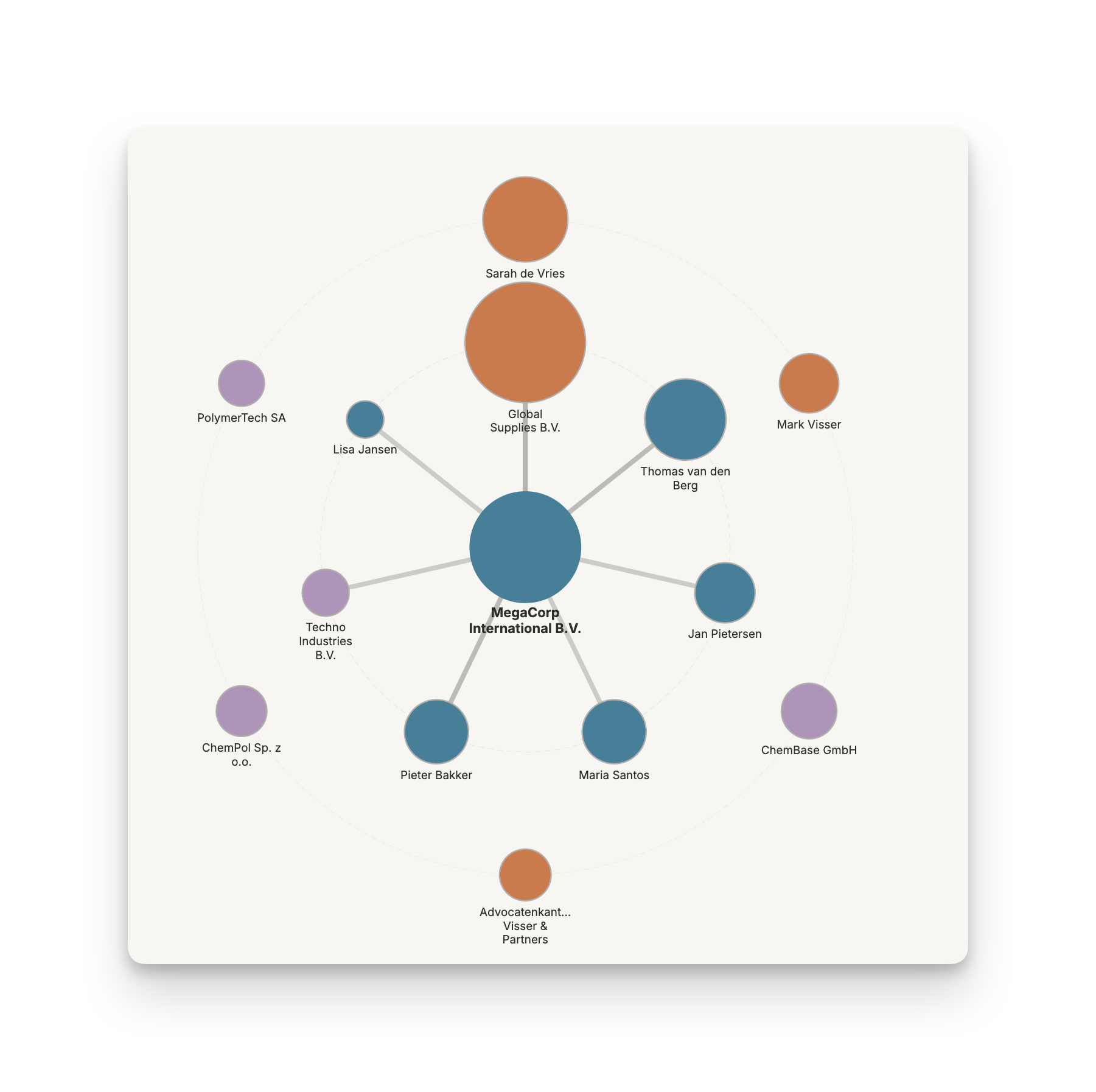
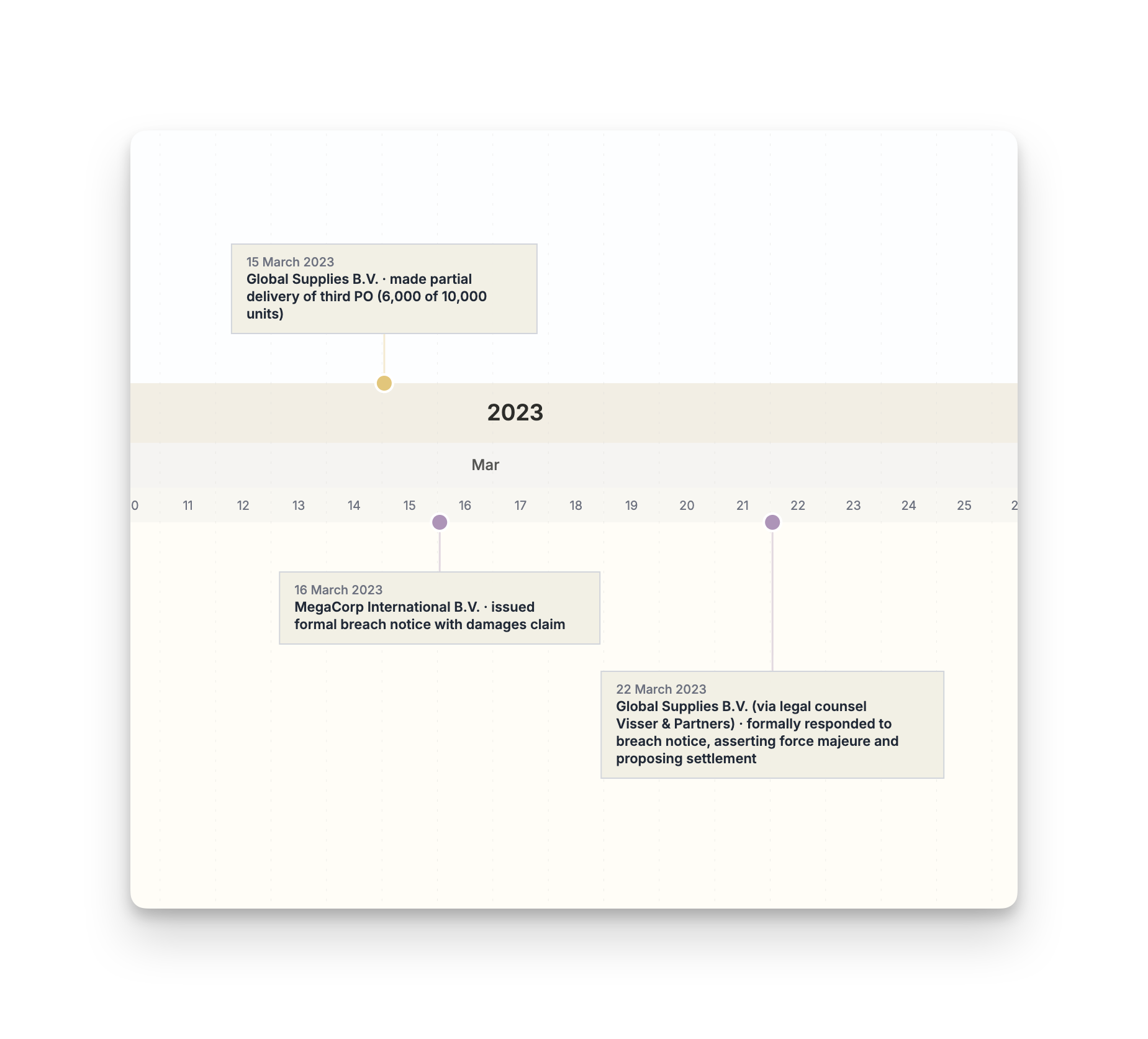
Split-View Timeline
Compare perspectives side-by-side
Filter two different perspectives and view them simultaneously. Show 'contract events' in the top lane and 'breach events' in the bottom. Or 'plaintiff's version' vs 'defendant's version.' Spot conflicts. Build your argument.
Spot where the narratives diverge.
Chat Interface
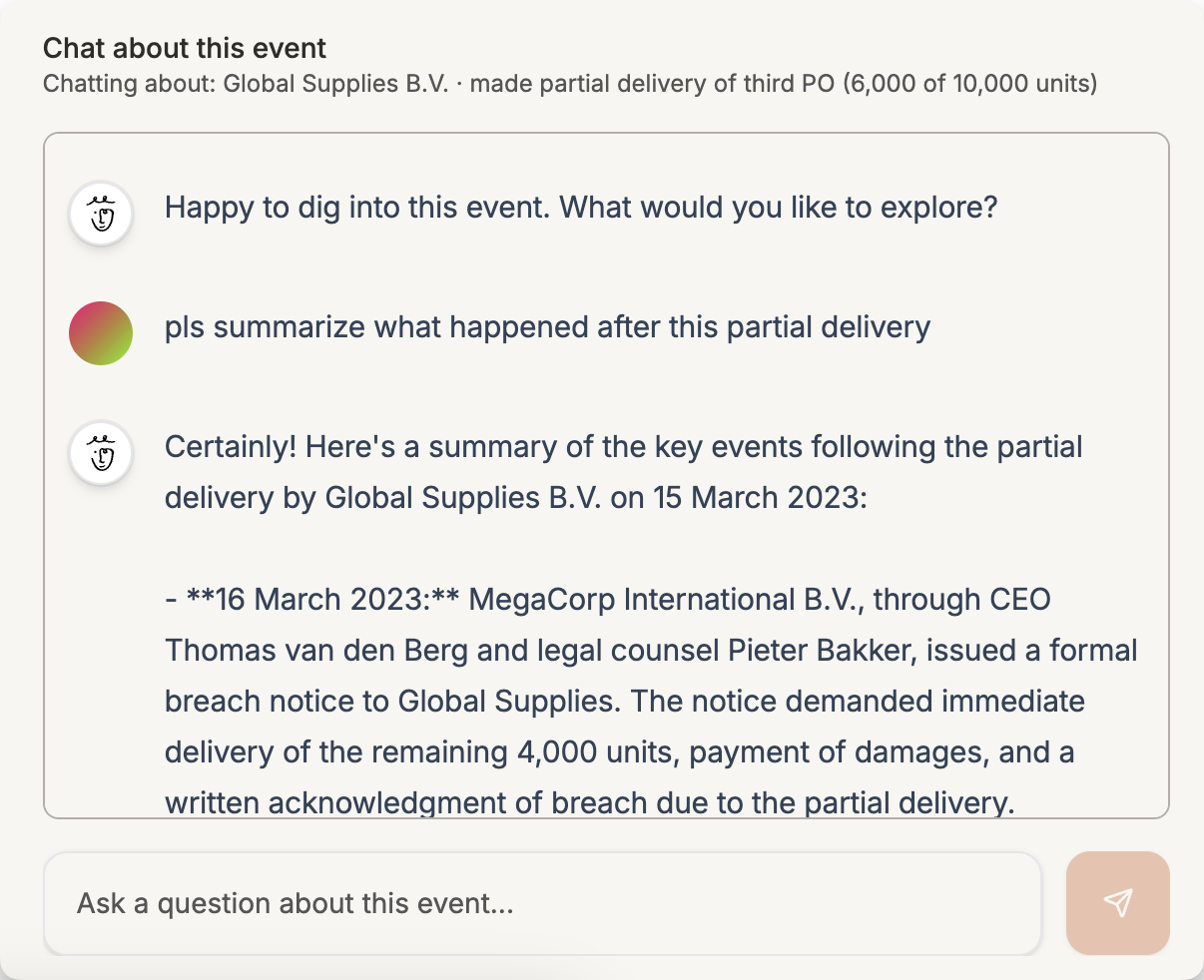
Drill down into details
Ask questions about your case and get answers with source references. Vector search finds relevant information in your documents. Navigate from overview to specifics when you need them.
Ask anything, get answers with sources.
Built for lawyers
One upload. Multiple views. Full control.
Understand
Visualize
Control
Export
In practice
How lawyers use Thea day-to-day
Client just sent everything: contracts, emails, WhatsApp screenshots. You have one hour before the call. Upload to Thea. Check timeline for the sequence, party camps for who's involved, relationship map for the connections. Go in confident.
Security
Your documents contain your clients' information. Here's how we protect your work.
European AI, end to end
Powered by Mistral AI — a French company. Your data stays in Europe, processed by European infrastructure. No US cloud, no data transfers.
No training, ever
Your documents and timelines are never used to train AI models. Mistral's enterprise API guarantees zero data retention.
You control access
Row-level security on every database query. Share timelines with expiring links. Add two-factor authentication.
On-premise available
Need air-gapped systems? We can deploy Thea on your infrastructure. Talk to us about enterprise requirements.
Pricing
One subscription for Thea and the full Mino platform. No per-document fees.
Mino Pro
Most popularFull Thea access plus the entire Mino agent platform.
Thea
- Unlimited cases
- All views — timeline, camps, radar, split-view, chat
- Document upload with AI analysis
- OCR for photos and screenshots
- Relationship / network maps
- Court-ready exports
- Secure sharing with expiring links
 Also included
- Feitlijn Pro — chat with ECLI, chat with cases in your folder
- All future agents auto-included
- Shared workspaces
- EU data sovereignty
- Priority support
Enterprise
On-premise deployment, team management, and custom SLAs for firms.
- Everything in Pro
- On-premise deployment
- Team management and permissions
- Custom SLA
- Dedicated account manager
Not sure yet? Try the demo — no account needed.
Thea is part of Mino—a platform for legal professionals building AI-native workflows.
Learn more about MinoFrequently Asked Questions
Answers to common questions about Thea
Common Questions
Unlike general-purpose tools that require manual data entry, Thea automatically extracts events, dates, and parties from your documents using AI. You don't spend hours copying and formatting—Thea does the heavy lifting in minutes so you can focus on case strategy.
Thea uses advanced AI to identify dates, events, and key players with high accuracy. As with any AI tool, we recommend reviewing the generated timelines. Editing is simple—you can adjust any details with just a few clicks or ask Thea to refine specific parts through chat.
Most timelines are generated within 2 minutes, depending on the volume and complexity of your documents. This is significantly faster than the hours or days it would take manually.
Yes. While Thea automatically generates a professional timeline, you have full control to customize colors, categories, which events to include/exclude, and labels. You can also chat with Thea to refine the timeline conversationally.
Absolutely. Your documents are encrypted during transit and at rest. All data is processed and stored within the European Union. We never use your documents to train AI models, and we're fully GDPR compliant.
Yes. You can generate secure sharing links so colleagues can view and explore timelines without needing an account. You can also export as high-quality JPG for inclusion in court filings or presentations.
Thea comes from the Greek goddess Theia, who brought light and clarity. Similarly, our Thea brings clarity to complex legal information. Plus, it's short, memorable, and easy to pronounce in multiple languages.
Generic AI tools aren't designed for legal timelines. They can't analyze entire case files, link events to source documents, create interactive visualizations, or let you chat about specific events. Thea is purpose-built for legal professionals who need accurate, verifiable timelines—not just text responses.
Yes. For organizations with strict data residency requirements, we offer on-premise deployment options. Contact us to discuss your specific security and compliance needs.